
Demo · Gamma Quest Tracker
Our own tracker, moved off .NET Framework and proven page by page.
Gamma Quest Tracker is the project, issue and time tracker that Gamma Quest's team and its clients work in. It was an ASP.NET Web Forms site on .NET Framework and SQL Server. We rebuilt it on .NET 10 and PostgreSQL, recorded how the old site behaves on its own data, and checked that the new one does the same, with every deliberate change listed and approved.
- legacy pages compared
- 250
- write actions reproduced
- 30 of 30
- timer cases reproduced
- 20 of 20
- approved changes from old behavior
- 28
- automated tests
- 139
1 · The system
What the tracker is
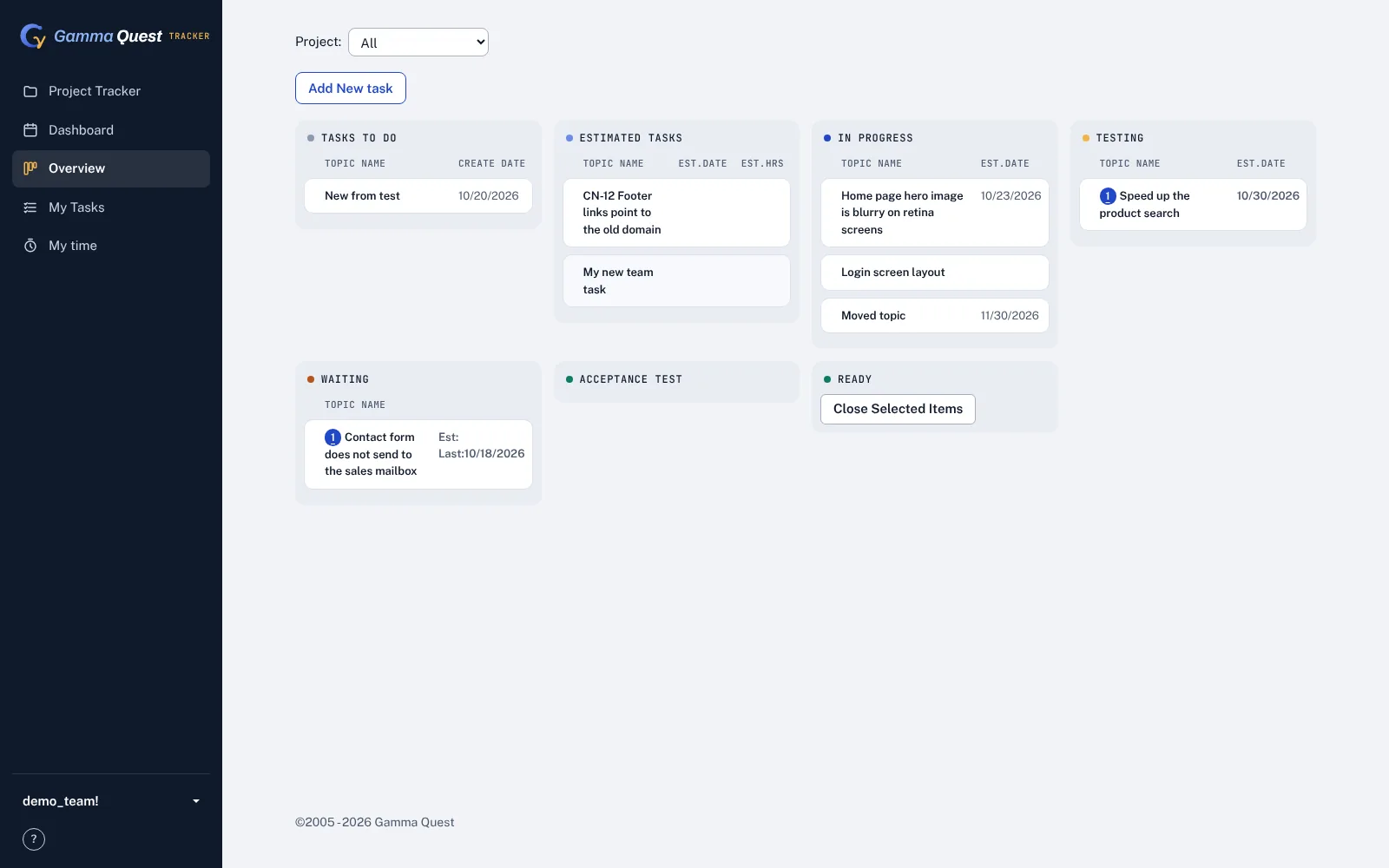
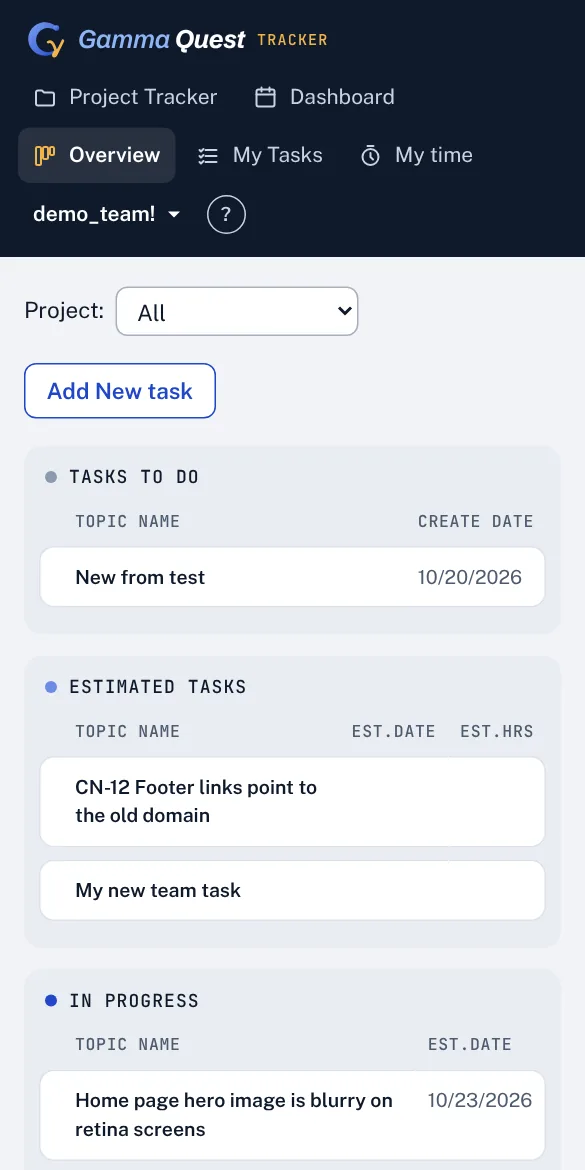
Clients open topics (bugs, requests, questions) in their projects; the team replies, assigns, estimates, plans its days and tracks time against each topic. Managers see the work by person, project and status. The tracker has grown over many years, and the inventory found more than the team uses today.
What it does
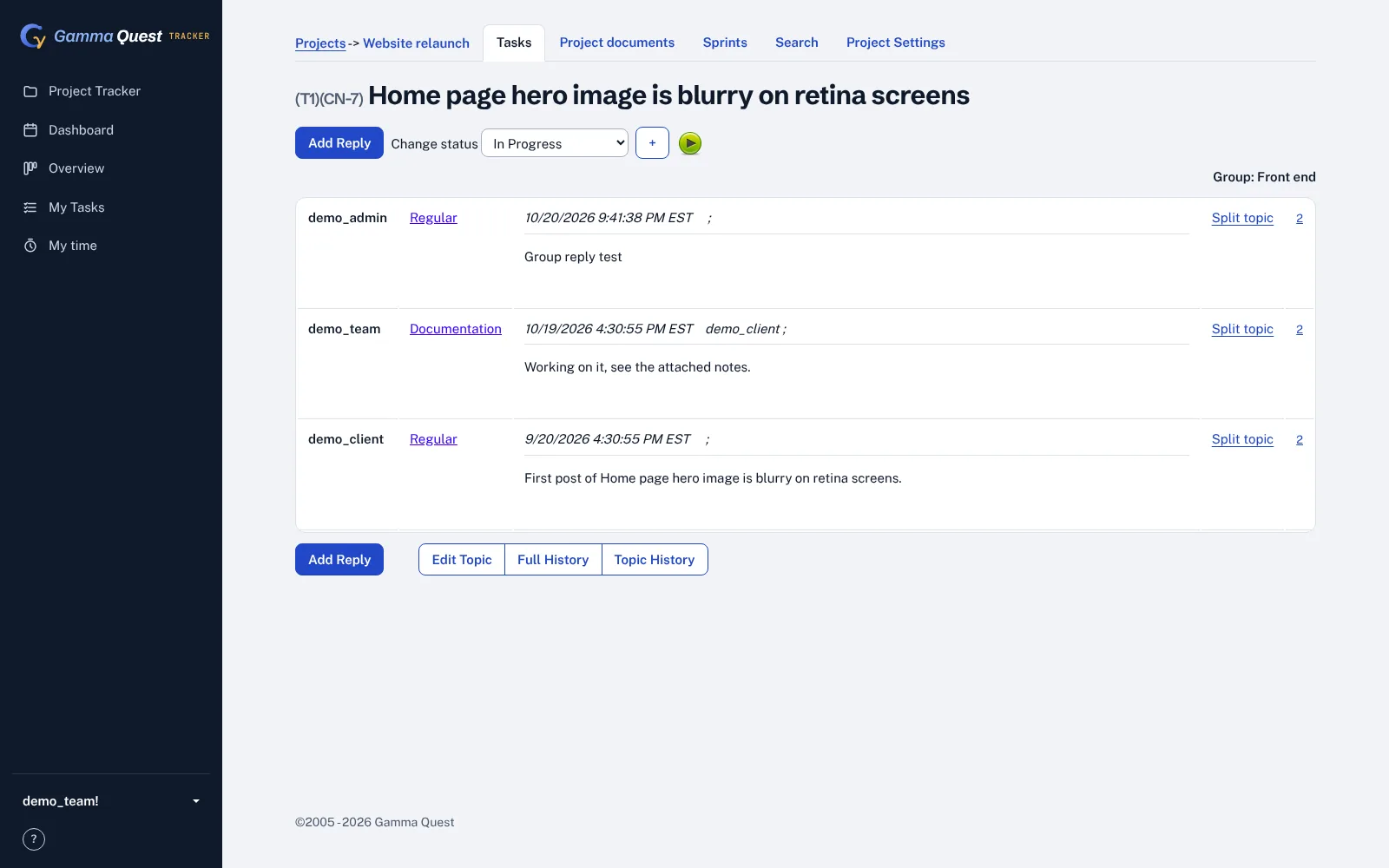
- Topics and posts: projects, topic lists with filters, topic pages with replies, internal notes, attachments and e-mail notifications.
- Planning: a personal planner for the day, a status board per project, epics, sprints and a team task list.
- Time: a start/stop timer on every topic, time entries and elapsed-time reports.
- Oversight: "my work" pages and a management overview.
How big it is
- About 21,200 lines of C# in 144 files
- 105 Web Forms pages and 10 HTTP handlers
- 63 SQL Server tables, 35 of them the tracker's own
- No foreign keys; 18 tables without a primary key
- All of the tracker's SQL written inline in the C# code
- Leftovers: a payment starter kit, a Silverlight client, a chat bot, test pages
2 · Before and after
How it was built, and how it is built now
One Windows server ran everything. The new tracker runs on one small Linux server on AWS, with files and mail handed to managed services. Its running cost is estimated at about $14 to $16 a month.
Why a rewrite, not a conversion
AWS Transform for .NET can port Web Forms pages, but only from a web application project with a project file. The tracker is a Web Forms "web site" with no project file, and it leans on third-party controls and handlers a conversion tool does not port. So the pages were rewritten, with an AI coding assistant doing much of the typing, and the recorded behavior of the old site as the judge.
The slice plan
| Slice | What moves | Proof | Status |
|---|---|---|---|
| 1 | Time tracking: timer, time entries, elapsed-time reports | 20 recorded cases, 71 steps | Complete |
| 2 | Projects, topic lists and topic pages (reading) | 137 pages on the real data | Complete |
| 3 | Adding topics, replies, status changes, edits, attachments, mail | 18 recorded write cases | Complete |
| 4 | Planner, status board, epics, sprints, my work, overview, team tasks | 113 more pages, 12 write cases | Complete, one case deferred |
| 5 | The new server: HTTPS, backups, releases, monitoring | Health checks; a restore test before go-live | Running, live at tracker-new.gammaquest.com |
| 6 | Data migration and the switch | Row counts and checksums, a full rehearsal | Data migration complete: 35 of 35 tables, 151,748 rows identical. Switch next |
Not carried over: the payment kit, the Silverlight client, the chat bot and its notifications, the old public marketing pages (the company site replaces them), and replies by e-mail. Invoices, documents and the calendar wait for a decision on whether they are still used.
3 · Slice 1
Time tracking: record first, then rewrite
The timer is small, but its rules decide how much time is recorded: how a stop is rounded, what happens at midnight, which day a long run counts on. It was the first slice because it can be pinned down exactly.
-
Run the old site on a machine of its own
A script creates a temporary Windows Server 2022 machine with SQL Server 2022 Express in our own AWS account, with no inbound access. It builds an empty copy of the database from the schema, adds test projects and topics, and installs the old site in IIS, unchanged apart from its configuration. No client data goes to this machine.
-
Set the clock for every step
For each of 20 cases, the harness sets the machine's clock, calls the old timer the way the browser does, and saves the response and every time-entry row after it. That is how midnight, daylight-saving changes and a 15-hour run can be tested in minutes. The machine is deleted after the run.
-
Replay on the new code
The new timer runs each case with the clock set to the moment the old one saw, first in memory, then on PostgreSQL. 71 steps and 102 row comparisons, ten fields each: no differences.
-
Report what the recording showed
- Every stop rounds up to the next minute, milliseconds included, so a stop almost always adds a minute: an 80-minute run is stored as 81 minutes, and ten 30-second runs as 10 minutes.
- Daylight saving is counted in clock time: 4 real hours across the November change are stored as 3, and 1 real hour across the March change as 2.
- A topic name with an apostrophe can never be stopped: the name is saved with a different character, so the timer never finds itself running.
- The timer had access gaps: some calls did not check who was asking or whether they were on the project.
Each of these is now an approved change with its own test, and the new timer can still run in a legacy mode that reproduces the old behavior exactly. Kept on purpose: the 15-hour cap applies only when starting one timer stops another, and time past midnight stays on the day the timer started.
4 · Slices 2 and 4, reading
Comparing pages on the real data
Test data shows the rules; real data shows the surprises. For the pages people read, the comparison ran on a copy of the production database, for a sample of real users, without the data leaving our own machines and AWS account.
-
Restore the backup where only we can see it
The same temporary machine restores the latest database backup, runs the old site, signs in as each sampled user (four team members and four clients) and saves the pages they see: project lists, topic lists with their filters, topic pages, and pages they must not open. The new tracker computes the same pages from a PostgreSQL copy made from the same backup.
-
Compare facts, not pixels
The new pages look different on purpose, so the comparison reads what each page says: which projects and topics appear and in what order, every cell that matters, post authors, types and times, page counts, and whether access is refused. The shareable report names users only as U1, U2 and so on; the pages themselves stay on our machine.
-
Read pages: 137 of 137
129 pages the same and 8 refused by both. Getting there found three real rules the rewrite had missed: a project's owner may open it without being a member, role names compare without case (two real users depended on it), and so do user names in the timer.
-
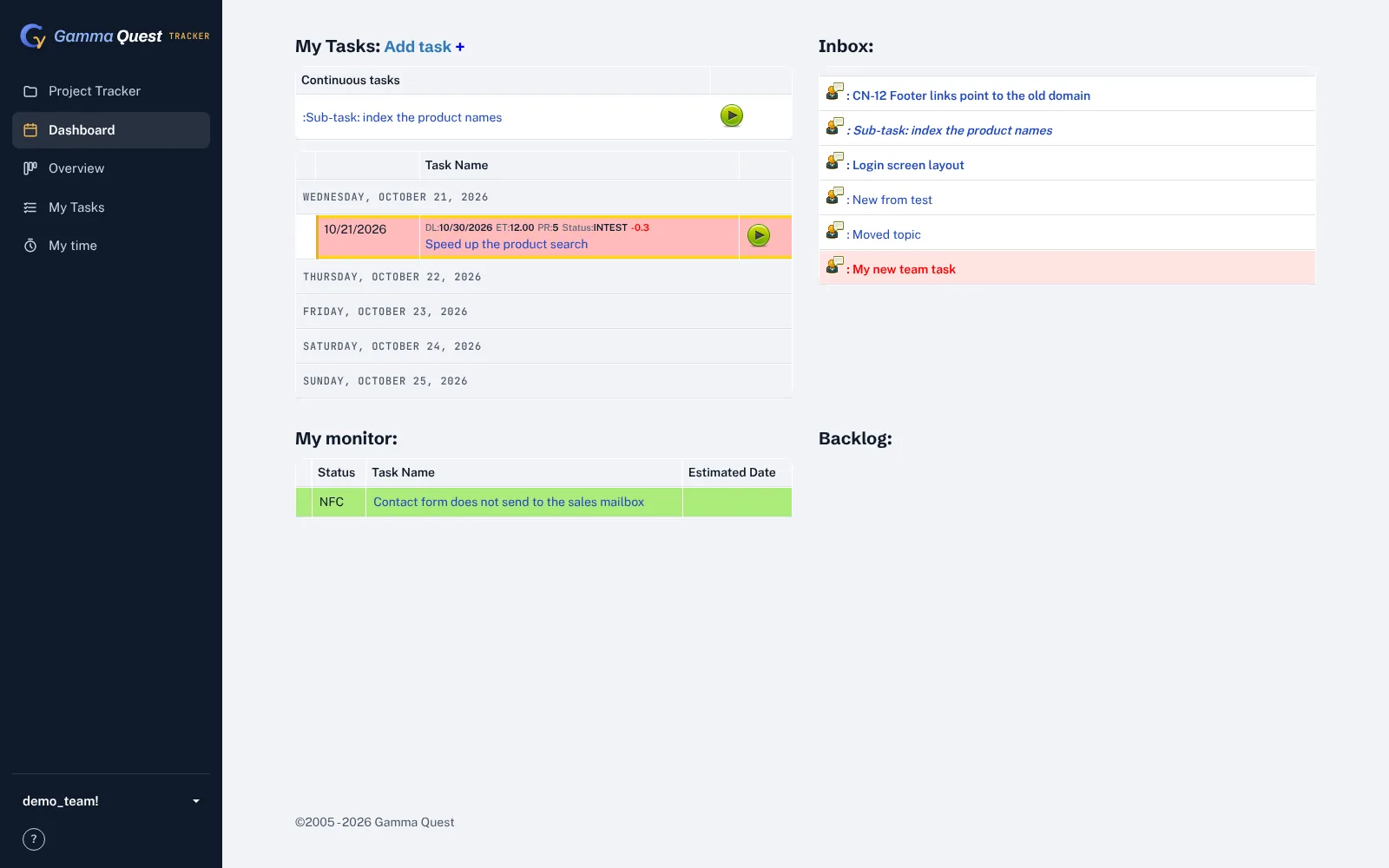
Planner and dashboards: 250 pages
The second run added 113 pages: the personal planner, status boards, "my work", the management overview and team tasks. These pages depend on "today" (overdue, due in three days), so the new tracker's clock is pinned to the moment each page was captured. 245 were the same or refused by both; one was an error page in the old site itself. The other four showed a team-only page to clients in the new tracker: the old site's configuration file, not its code, kept clients out. The rule was added and the comparison now counts those four as refused.
5 · Slices 3 and 4, writing
Proving what gets saved and who gets mail
For every action that changes data, the question is not only what the page shows next, but which rows change in which tables, and which e-mails go to whom.
-
Record each action on the test database
Each case signs in as a test user, sets the clock and performs the action through the old pages: add a topic, reply, reassign, hide a post, edit, plan a day, move an epic. After each step the harness saves the rows of twelve tables and every mail the old site wrote, with mail delivery pointed at a local folder.
-
Replay and compare
Area Cases Result Topics: add, reply, status, take it, hide, subscribe, edit, priority order, description, access refused 18 Same, with the approved changes Planning: plan dialog, move a day, topic panel, copy, close on the board, epics, sprints 12 Same Editing a sprint's date 1 Deferred: the capture script could not drive that grid; unit tests cover it -
Report what the tests found
- Saving the edit page wiped the topic's description, because the page never loaded it into its form.
- The edit page failed with an error on topics without a completion date.
- Internal replies were e-mailed to clients like any other reply.
- Every notification went out as one mail with all recipients in the To line, so clients saw each other's addresses.
- Mail subjects arrived encoded, with + for every space.
- "Take this topic" was in the page but never shown.
- The progress log was never written: its SQL had a stray bracket, so it always failed.
- Several actions checked access weakly or not at all, and some changed data from a plain link.
Some of the old behavior was matched on purpose, because people rely on it: a client's reply sends the topic back to the last person it was assigned to, and a topic created from the plan dialog is due today.
6 · Approved changes
28 differences, each one on purpose
Parity does not mean keeping every defect. It means that every difference between old and new is known, written down, approved by the owner, and tested.
| Kind | Changes | Examples |
|---|---|---|
| Access | 10 | The same project check on every page and action, no data changed by a plain link, internal topics kept out of clients' lists |
| 5 | Internal content to the team only, one mail per recipient, plain subjects, the author not mailed, replies by e-mail retired | |
| Timer and data | 8 | Nearest-minute rounding, real elapsed time across daylight saving, a timer that stops whatever the topic is called, the description kept on edit, empty completion dates allowed, the progress log written |
| Pages | 5 | Overview numbers that add up, a user filter that works, "spent" time that is really the user's own |
Every page and every write comparison applies exactly these changes and no others. Anything else that differs fails the test.
7 · Data and the server
Moving the data and running it
-
Same tables, a new database
The schema is converted table by table, keeping every column the old site wrote, so new topics look exactly like old ones. Text that SQL Server compared without case is compared without case in PostgreSQL too; name-based links between tables depend on it.
-
A migration tool that checks itself
One command copies the data, another compares every table with the source by row count and checksums and writes a report. Users keep their passwords: the old encrypted passwords are decrypted once with the old site's key and stored with a modern hash; the old key is destroyed after the switch.
-
A small server that is easy to rebuild
One Amazon Lightsail instance runs the app, PostgreSQL and Caddy for HTTPS. The database is backed up every night to Amazon S3 and kept 35 days; the whole server is snapshotted daily; attachments are versioned. A release is a zip uploaded by one script, with about five seconds of downtime and a rollback in seconds. Everything is created from one AWS CloudFormation template.
-
A rehearsal before the switch
The switch is written down step by step, with the way back. Before it happens, the full migration runs once on a copy of the real data, the comparison report must come back clean, a backup must restore, and the team tests the new tracker on its own work.
8 · Limits
What this does not prove yet
- Not switched over yet. The new tracker runs on the real data next to the old one; tracker.gammaquest.com still points to the old server until the DNS switch.
- A sample of users. Pages were compared for eight users and the projects they use most, not for every user and every project.
- Pages are compared on facts. What each page says is checked; how it looks is not, because the new design differs on purpose.
- Write cases run on test data. They cover the rules, not every combination real data can hold.
- One write case is deferred: editing a sprint's date and closed flag, covered by unit tests until the next capture run.
- Some features wait for a decision: invoices, documents and the calendar are not part of this move.
Next
The switch. The real data is loaded and proven identical. On cutover day a final backup is loaded and compared the same way, tracker.gammaquest.com moves to the new server, and the team moves its work to the new tracker.
Every step, tool and check behind this page is in the engineering record, including what went wrong on the way and how AI assistance was used.
To see the comparison case by case, open the parity viewer: pick a recorded action and compare the rows and e-mails of the old tracker with those of the new one.
Running on .NET Framework?
A two-to-three-week assessment maps your system, finds the risks and gives you a fixed price for the first slice.